TL;DR: We’ve been running OpenClaw in production for 30+ days across multiple agents and model providers. The documentation covers setup. It does not cover what breaks after you deploy. Here are 8 silent failures we discovered: config drift across four separate model stores, heartbeats that die without logging errors, a gateway race condition that overwrites your edits, agents rewriting their own configs, upgrade-induced config drift that breaks three systems at once, hidden cost traps, hot reload behavior that silently fails, and gateway token mismatch after upgrades or container recreation. Each gotcha includes the symptom, root cause, and fix.
Contents
- The Four Model Stores: Why Config Changes Don’t Propagate
- Silent Heartbeat Failures: The Missing File Nobody Documents
- Gateway Race Condition: Why Your Config Edits Disappear
- When Agents Modify Their Own Config Files
- Upgrade-Induced Config Drift: What Breaks When You Update
- Cost Optimization That Actually Works
- Hot Reload vs. Restart: Know the Difference
- Gateway Token Mismatch: The Post-Upgrade Authentication Wall
- Cron Jobs That Silently Stop Working
- Authentication and Pairing: What Breaks Between Versions
- ThinkingDefault: The Config Key Nobody Explains
- Key Takeaways
- FAQ
OpenClaw production is where the real learning starts. The setup guides will get you running. They won’t tell you what breaks at 2 AM on a Tuesday when your cron jobs silently switch back to a paid model you thought you disabled three days ago.
We’ve been running OpenClaw as a self-hosted Docker deployment for over 30 days now, with multiple agents, multiple model providers, and several platform upgrades. This post is the guide we wish existed when we deployed. Every gotcha here comes from actual debugging sessions and hours we lost to OpenClaw silent failures that produce no error messages and no log entries.
If you haven’t set up OpenClaw yet, start with our OpenClaw setup guide . This post assumes you’re already deployed and wondering why things aren’t working the way the docs say they should.
The Four Model Stores: Why Config Changes Don’t Propagate
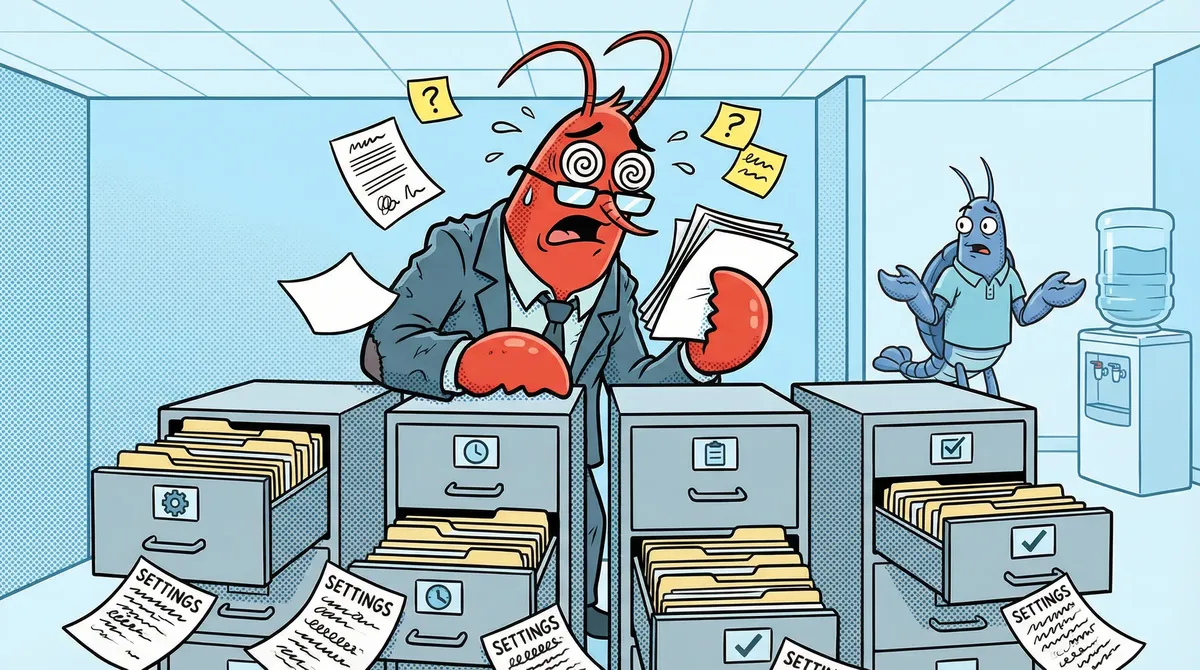
What you see: You change the model in the main config file. Interactive sessions use the new model. But cron jobs keep using the old one. API costs spike from an unintended fallback.
Why it happens: OpenClaw stores model configuration in four separate places:
- Main config file (defaults and per-agent model settings)
- Session state files (cron sessions bake the model at creation time)
- Cron job payloads (the scheduler stores its own model reference)
- Model allowlist (enforced by crons, bypassed by interactive sessions)
Changing the main config does not propagate to the other three. This is OpenClaw config drift in action. Your crons fire with stale models, time out on a model that no longer exists or isn’t loaded, fall back to a paid API provider, and burn credits you thought you eliminated.
The allowlist trap: The model allowlist is enforced by cron jobs but NOT by interactive sessions. You’ll switch to a new model, test it interactively, see it work perfectly, and walk away confident. Then your crons fail with “model not allowed” because you never added the new model to the allowlist. No error in the dashboard. No notification. Just silent failures and an API bill.
The fix: Patch all four stores atomically, then restart the gateway. Order matters: restart AFTER patching. The gateway writes in-memory state to disk on shutdown, so if you restart first, it overwrites your changes.
It took us 8 script iterations across multiple incidents to reliably patch all four stores. The model toggle workflow is not a single config change. It’s a coordinated update across multiple files with a specific execution order.
Lesson: If OpenClaw is using the wrong model on cron jobs, don’t just check the main config. Check session state files, cron payloads, and the allowlist. The discrepancy is almost always between stores.
Silent Heartbeat Failures: The Missing File Nobody Documents
What you see: Your agent’s heartbeat stops firing. Logs show nothing. Config looks correct. The doctor command reports no issues.
Why it happens: A required file (models.json) is missing from the agent directory. OpenClaw silently skips heartbeat execution rather than logging an error. Everything looks correct. Nothing tells you it’s broken.
We spent 4+ hours on this one. Checked config syntax, restarted the gateway, modified heartbeat intervals, added Telegram bindings, created a dedicated workspace. None of it worked. The fix took 30 seconds: copy models.json from a working agent’s directory.
Here’s the timeline:
- Hour 0: Noticed heartbeat not firing despite valid config
- Hour 1-3: Tested config changes, hot reloads, restarts. No effect.
- Hour 4: Compared the broken agent’s directory to a working agent, file by file
- Fix: One missing file. Copied it. Heartbeat fired within minutes.
Every agent directory needs these files for heartbeat execution:
SOUL.md(agent identity)models.json(provider configuration)auth-profiles.json(authentication store)
Missing any of these causes silent failure. Not “error and retry.” Not “warning in logs.” Silent. The heartbeat just never runs. If your OpenClaw heartbeat is not working, check these files first.
Broader lesson: OpenClaw has several “required but undocumented” files. When something silently fails, compare a working agent’s directory to the broken one. The difference is usually a missing file, not a config mistake.
Gateway Race Condition: Why Your Config Edits Disappear
What you see: You edit a config file while the gateway is running. Your changes work briefly, then disappear. Or they never take effect at all.
Why it happens: The gateway loads session state into memory at startup and periodically syncs it back to disk. When you edit files on disk, the gateway’s in-memory state overwrites your changes within seconds.
This is not a bug. It’s architecture. The gateway owns those files. You are a guest editing them.
Why this matters for model switching: If you change model config and don’t restart the gateway, it overwrites your changes from its in-memory state. Then you assume the change “didn’t work” and start debugging the wrong thing. You’re not looking at a broken config. You’re looking at a config that keeps getting reverted by the process that owns it.
The fix: Stop the gateway. Patch files. Start the gateway. That’s the only reliable sequence. Never edit config files while the gateway process is running.
If you docker self-host OpenClaw, bind mounts into the container’s config directory let you patch from the host. That alone makes a self-hosted deployment worth it over cloud platforms where you’re stuck with their own config tools.
When Agents Modify Their Own Config Files
What you see: Config files contain model names that don’t exist, API endpoints that were deprecated, or references to CLI tools the agent can’t access.
Why it happens: Given enough autonomy, agents hallucinate capabilities and write them into their own config files. This isn’t theoretical. We watched it happen. An agent decided it had access to tools it didn’t have, wrote those tools into its config, and broke its own execution environment.
The fix: two-layer defense.
Layer 1: Prompt rules. Add explicit rules to your agent’s instructions prohibiting config file modification. Put them in HARD-RULES.md or the equivalent enforcement file.
Layer 2: File permissions. chmod 444 on critical workspace files. Capabilities files, memory configs, skill definitions. The agent gets “Permission denied” when it tries to write.
The chmod trap: You can’t lock everything. The gateway actively writes to auth-profiles.json (credential sync on every session init), models.json (provider config resolution), and auth.json (plugin SDK auth storage). Is it safe to chmod config files in OpenClaw? Only workspace files. Gateway-managed files must stay writable at 644.
We learned this the hard way. We applied chmod 444 to everything, including gateway-managed files. Both agents broke immediately with EACCES errors on session init. The fix was restoring 644 on models.json and auth-profiles.json while keeping 444 on workspace files.
The rule: Lock what agents write. Don’t lock what the gateway writes.
Upgrade-Induced Config Drift: What Breaks When You Update
You update OpenClaw to a new version. The gateway starts. No errors. Everything looks fine. Then, hours or days later, you notice behavior degrading. Per-agent settings you configured weeks ago have no effect. Heartbeat intervals reset to defaults. Or worse: “gateway token mismatch” and agents can’t authenticate at all.
Why it happens: OpenClaw’s config schema changes between versions. Keys that were valid become silently invalid. New required fields appear without migration warnings. Gateway tokens may need regeneration after major version jumps.
We navigated 3 platform upgrades in 10 days. The Clawdbot-to-OpenClaw rebrand, then two subsequent version updates. Each one introduced subtle config drift that didn’t surface immediately.
The silent part: The gateway starts without errors. openclaw doctor --fix is the only tool that reveals stale keys. Your per-agent thinking level override? Silently dropped after the upgrade. Custom compaction settings? Gone. Browser profile defaults? Reset. You don’t notice until an agent starts behaving differently and you can’t figure out why.
The compounding effect: This is what makes OpenClaw upgrade breaking changes dangerous. Upgrade drift activates every other gotcha in this post. Stale model stores (Section 1) get worse when the allowlist schema changes. Heartbeat files (Section 2) may need new required fields. Hot reload behavior (Section 7) changes between versions. One upgrade can silently break three systems at once.
The fix:
- Before upgrading: Snapshot your entire
~/.openclaw/directory. A simplecp -ris fine. You want a rollback path. - After upgrading: Run
openclaw doctor --fiximmediately. It identifies and removes invalid keys that the new version silently ignores. - Check the changelog for new required config fields. Not everything gets auto-migrated.
- If authentication breaks: Regenerate the gateway token. Token format changes between major versions. GitHub Discussion #4608 confirms this is a widespread pain point after the Clawdbot-to-OpenClaw migration.
- Test cron jobs explicitly. Interactive sessions may work while crons fail on the new schema.
Lesson: Treat every OpenClaw update as a potential config migration event. The update itself takes 30 seconds. The silent config drift it introduces can take days to fully surface.
Cost Optimization That Actually Works
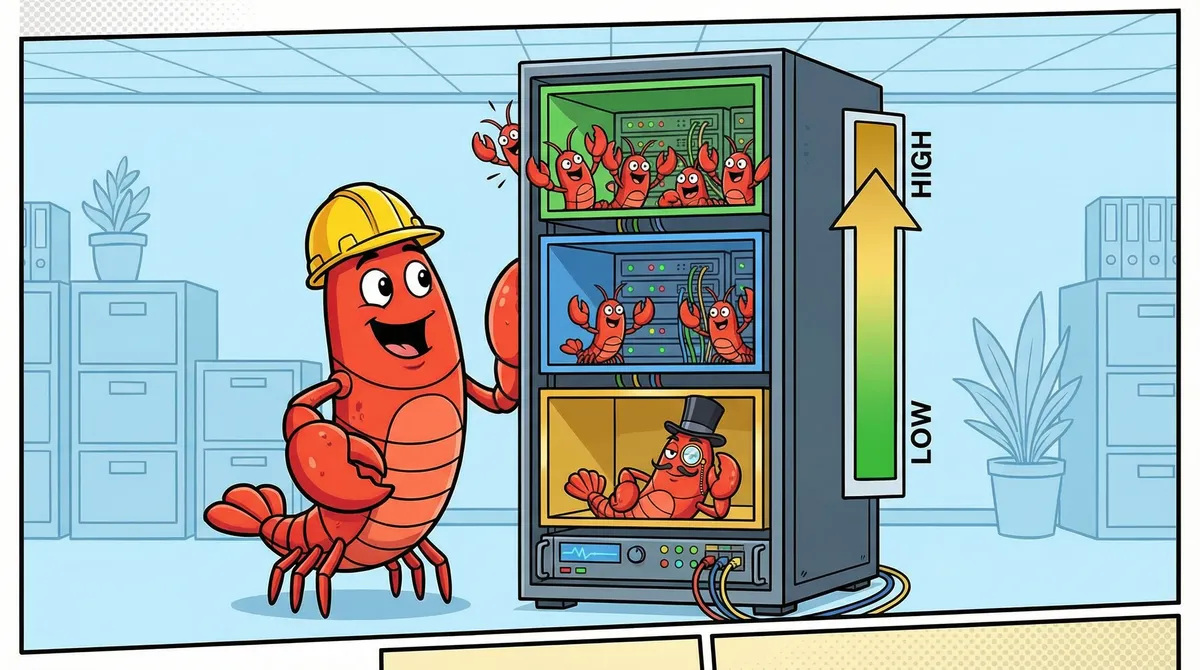
Here’s the silent cost failure: you switch to local models to save money. But stale cron configs keep firing paid API calls (Section 1). Heartbeats routed to local models fail silently when the model is unloaded (Section 2). Agents appear dead with no error. The “optimization” costs you more than what you saved.
OpenClaw cost optimization that works starts with one question: which tasks actually need expensive models?
Per-task model tiering:
| Task Type | Model Tier | Why |
|---|---|---|
| Utility crons (indexing, monitoring) | Free local (Ollama) | Pure procedure, no reasoning needed |
| Heartbeat/keepalive | Cheapest API tier | Just confirms alive. Must be reliable. |
| Standard analysis | Mid-tier API | Good balance of capability and cost |
| Complex reasoning | Top-tier API | Strategy reviews, multi-step planning |
The heartbeat routing rule: Don’t route heartbeats to local models. If your local inference server is down or the model isn’t loaded, heartbeats fail silently and agents appear dead. Use a cheap API model for heartbeats. It’s always available. The reliability is worth the fraction of a cent.
Context window right-sizing: We dropped from 32k to 24k tokens and saved VRAM. Why? The platform capped context at 24k anyway. The extra 8k was allocated but never used. Check your platform’s actual context limit before over-allocating.
Model pruning: We recovered 178GB of disk space by removing unused models from our local inference server. If you’re running Ollama, run ollama list and delete anything you haven’t used in a week.
Real cost trajectory: From $4+/day running everything on paid API, to $2-3/day with tiered routing, to near $0/day with local models handling routine tasks and API reserved for complex work. Start with per-task tiering, not a wholesale switch. If you’re setting up Ollama for the local tier, our OpenClaw + Ollama local LLM guide covers the production config, which models actually work for agent tasks, and the context window trap that silently breaks everything.
Hot Reload vs. Restart: Know the Difference
OpenClaw hot reloads most config changes without a gateway restart. But “most” is doing heavy lifting in that sentence.
What hot reloads (no restart needed):
- Browser profiles (CDP URLs, profile names)
- Heartbeat intervals
- Model parameters
- Agent bindings (Telegram, Discord channels)
What requires a restart:
- Gateway binding/port changes
- Major structural changes to agent configuration
The silent failure trap: Invalid config keys prevent hot reload from executing. You add a setting to a per-agent config block, save the file, check the logs. No reload happened. No error either.
The problem: some settings only work at the global agents.defaults level, not per-agent. Per-agent overrides for thinking level, browser profile defaults, and compaction settings are silently ignored. The gateway doesn’t warn you. It just skips the reload.
The diagnostic tool: Run openclaw doctor --fix. It finds and removes invalid config keys. If you’ve been troubleshooting a setting that “isn’t working,” this command will tell you whether the key was valid in the first place.
The schema gotcha: The config schema is stricter than it appears. Keys that look reasonable (thinkingDefault, browser, compaction at the agent level) are silently invalid. The docs don’t always specify which level each setting supports. When in doubt: set it in agents.defaults, test, then try moving it per-agent.
Gateway Token Mismatch: The Post-Upgrade Authentication Wall
What you see: Agents stop connecting after an upgrade or container rebuild. Logs show unauthorized: gateway token mismatch. Interactive sessions won’t start. Cron jobs fail. The gateway is running fine, it just refuses every connection.
Why it happens: The gateway generates an authentication token on first run and stores it internally. Your agents reference that same token in their auth.json files. When those tokens fall out of sync, the gateway rejects every request.
Three things break the sync:
Version upgrades. The token format changed between the Clawdbot-to-Moltbot rename, and again during the Moltbot-to-OpenClaw rebrand. Old tokens are permanently invalid against the new gateway. This isn’t a “restart and it works” situation. The old token will never validate.
Container recreation. If you
docker compose down && docker compose upinstead ofdocker compose restart, Docker can create a fresh container with a fresh gateway token. Your agents still have the old token baked into their auth files. Everything was working ten minutes ago. Now nothing connects.Multiple gateway instances. If you accidentally start two gateway processes against the same config directory (easy to do during debugging), they generate conflicting tokens. One wins. Agents authenticated against the loser start failing with “gateway token mismatch” and you can’t figure out which instance they were talking to.
The debugging trap we fell into: We hit this after our second version upgrade. The gateway started cleanly. Status page showed green. We assumed the upgrade was fine and went to bed. Next morning, every cron job had failed overnight. Agents showed “unauthorized” in their session logs, but only if you went looking. There’s no dashboard alert for auth failures. We spent an embarrassing amount of time checking model configs and allowlists before actually reading the error message. “Gateway token mismatch” is not a model problem. It’s an auth problem. Two different debugging paths.
The fix:
- Stop the gateway. Actually confirm it’s stopped. Check for orphan processes with
ps aux | grep openclawor stale containers withdocker ps. - Delete the stale token from each agent’s
auth.json. You’re looking for the gateway token field. Don’t nuke the whole file, just clear the token value. - Start the gateway. It generates a fresh token on startup.
- Reconnect each agent. On first connection, the agent grabs the new token and writes it to its
auth.json.
If you’re running Docker, a full docker compose down -v && docker compose up -d nukes the old gateway state and forces fresh token generation. But this also wipes session history, so only do it if you’re okay losing in-progress sessions.
How to avoid this on future upgrades:
- Snapshot
~/.openclaw/before upgrading (see Upgrade-Induced Config Drift ) - After the upgrade, check agent connectivity immediately. Don’t wait for cron failures to tell you overnight.
- If you see “gateway token mismatch” anywhere in logs, skip the config debugging. Go straight to token regeneration.
- Use
docker compose restartfor routine restarts, notdown && up. Restart preserves the container and its token state.
Lesson: “Gateway token mismatch” is one of the few OpenClaw errors that actually tells you what’s wrong. But it looks like a config error, so your instinct is to start digging through config files when you should be regenerating tokens. If you see this error, the fix is always the same: stop, clear stale tokens, restart, reconnect.
Cron Jobs That Silently Stop Working
You set up a cron job. It runs fine for days. Then it stops. No error in the dashboard. No alert. The cron just quietly ceases to fire. This is one of the most common “openclaw cron not working” complaints, and it has multiple root causes that compound on each other.
The auto-update pattern: A lot of people run auto-update-openclaw as a cron job. It’s a reasonable idea: keep your deployment current without manual intervention. The problem is that the update itself can break the cron that triggered it. The cron payload was baked with the old config schema. After the update, the payload references keys or model names that the new version doesn’t recognize. The cron fires, fails silently, and the auto-update you set up to reduce maintenance becomes the thing that breaks.
Debug checklist (work through in order):
Is the gateway actually running? Check with
docker psorps aux | grep openclaw. If the gateway crashed and nobody noticed, every cron is dead.Is the model still in your allowlist? Cron jobs enforce the model allowlist. Interactive sessions don’t. If you changed providers or model names since creating the cron, the allowlist blocks execution with no visible error. See Model Not Allowed for details.
Is the model actually loaded? If you’re using Ollama or another local provider, the model must be loaded and responding. A cron that targets an unloaded model times out silently. Check your provider’s status endpoint.
Is the session directory writable? Cron jobs create their own session files. If the sessions directory has permission issues (common after running as a different user or after a Docker volume change), session creation fails silently.
Is the cron payload current? This is the non-obvious one. Cron jobs bake their entire configuration at creation time. Your main config, model allowlist, and provider settings can all be current, but the cron payload still references the old model, old schema keys, or old provider endpoints. The Four Model Stores section explains why config changes don’t propagate to cron payloads.
The fix for stale cron payloads: You can’t patch a cron payload in place. Delete the cron job and recreate it. The new job bakes the current config. This is why config changes followed by a gateway restart aren’t enough: the restart refreshes the gateway’s in-memory state, but cron payloads are stored independently.
Prevention: After any config change that touches models, providers, or the allowlist, audit your active cron jobs. If any were created before the change, recreate them. Treat cron job recreation as part of your config change workflow, not an afterthought.
For the related error message when a cron explicitly fails with a model error, see our errors explained guide . For the broader pattern of config stores falling out of sync, see The Four Model Stores above.
Authentication and Pairing: What Breaks Between Versions
The Gateway Token Mismatch section covers one specific auth failure: the gateway token falling out of sync after upgrades. This section covers the broader authentication lifecycle. OpenClaw has three distinct credential types, and knowing which one broke saves hours of debugging.
The Three Token Types
Device tokens are generated when you pair a device (phone, tablet, secondary machine) with the gateway. They identify which physical device is connecting and what scopes it has. Device tokens live in the device’s local config.
Gateway tokens are generated by the gateway on first startup. Agents use them to authenticate API calls. They live in each agent’s auth.json. This is what breaks during the token mismatch
scenario.
Auth profiles are provider credentials (API keys, OAuth tokens) stored in auth-profiles.json. They authenticate the gateway against external model providers like Anthropic, OpenAI, or local Ollama instances.
What Triggers “Pairing Required”
The “openclaw 2026.2.19 pairing required fix” and similar queries appear because version upgrades can invalidate device pairings. When the gateway detects an unrecognized or expired device token, it drops into pairing mode and refuses normal operations.
Common triggers:
- Major version upgrades. The device token format or validation logic changed. Old tokens fail silently or are explicitly rejected.
- Container recreation.
docker compose down && upcreates a fresh gateway instance that doesn’t recognize existing device pairings. - Config directory changes. If you moved
~/.openclaw/to a new path or changed volume mounts, the gateway can’t find its pairing records. - The Clawdbot-to-OpenClaw rebrand. This changed the entire auth scheme. Every device token from the old platform is permanently dead.
How to Re-Pair
- Stop the gateway.
- Delete the stale pairing data from your device config (not the gateway config).
- Restart the gateway. It enters pairing mode.
- Complete the pairing flow from your device. This generates fresh device tokens with the scopes you select.
Token Rotation
People search for “openclaw device token mismatch rotate reissue” because they want to rotate tokens without going through the full re-pair flow. Currently, OpenClaw doesn’t support in-place token rotation. To rotate a device token:
- Remove the existing pairing.
- Re-pair the device.
- The new pairing generates new tokens.
This is a full re-pair, not a rotation. If you have multiple devices paired, each one needs its own re-pair cycle.
Removing Stale Auth Profiles
If your auth-profiles.json has provider credentials for services you no longer use, remove them manually. Stop the gateway first (the race condition
applies here too), edit the file, restart. Stale auth profiles won’t cause errors, but they add confusion when debugging and may trigger unnecessary credential validation on startup.
For scope-related errors when tokens don’t have the right permissions, see Missing Scope: operator.read in our errors guide.
ThinkingDefault: The Config Key Nobody Explains
This is a short one, but people keep searching for it. People search for “openclaw thinkingdefault” and “openclaw config set agents.defaults.thinkingdefault” because they find the key name in community posts, try to set it, and nothing happens.
The problem: thinkingDefault is not the correct key name.
The actual key is agents.defaults.thinkingLevel. The thinkingDefault name appears in older guides, community configs, and some unofficial documentation. It was either a previous key name that got renamed during a schema migration, or a community convention that never matched the actual schema.
What thinkingLevel controls: It sets the default reasoning depth for your agents. How much “thinking” the model does before generating a response. Higher values mean more deliberation (and more tokens consumed). Lower values mean faster, more direct responses.
The silent failure: Setting thinkingDefault in your config produces zero feedback. No error. No warning. No log entry. The gateway accepts the key (it doesn’t validate unknown keys at that level), stores it, and ignores it. Your agents use whatever the system default is. You think you’ve configured thinking mode. You haven’t.
The config level trap: Even with the correct key name, thinkingLevel must be set under agents.defaults. Setting it at the per-agent level is silently ignored. This matches the pattern described in Hot Reload vs. Restart
: several settings that look like they should work per-agent only function at the defaults level.
How to verify your setting is working: After setting agents.defaults.thinkingLevel, restart the gateway and check agent behavior. If agents aren’t showing extended reasoning in their responses (for models that support it), verify three things: correct key name (thinkingLevel, not thinkingDefault), correct config level (agents.defaults, not per-agent), and model compatibility (the model must actually support thinking mode).
For the full breakdown of model and config key management, see Models, Config Keys, and ThinkingDefault in our errors guide.
Key Takeaways
- Config drift is the biggest silent failure. OpenClaw stores models in four places. Change one, the other three stay stale. Patch all four atomically.
- Missing files cause silent heartbeat death. No errors, no logs. Check
models.jsonexists in every agent directory. - Never edit config while the gateway is running. It overwrites from memory. Stop, patch, start.
- Lock workspace files, not gateway files.
chmod 444on capabilities and skills. Leavemodels.jsonandauth-profiles.jsonwritable. - Treat every update as a config migration. Snapshot before, run
doctor --fixafter. One upgrade can silently break three systems. - Don’t route heartbeats to local models. Use cheap API for reliability. Silent heartbeat failure is worse than a fraction of a cent.
- Run
openclaw doctor --fixwhen things silently fail. Invalid config keys are more common than you think. - “Gateway token mismatch” means token regeneration, not config debugging. After upgrades or container rebuilds, clear stale tokens in agent auth.json and let the gateway regenerate. Don’t waste time checking model configs.
- Cron jobs bake config at creation time. After any config change, recreate affected cron jobs. Restarting the gateway alone doesn’t update cron payloads.
- Three credential types, three failure modes. Device tokens, gateway tokens, and auth profiles break independently. Know which one failed before debugging.
thinkingDefaultis not a valid key. Useagents.defaults.thinkingLevel. The old name is silently ignored.
Getting actual error messages instead of silent failures? See our OpenClaw error reference for every common error explained with tested fixes.
Want all 10 silent failure modes with detection scripts and fixes? The OpenClaw Fleet Kit covers every failure mode in this post plus two more, with automated detection and fix procedures. Plus fleet configs, SOUL templates, security hardening, and model tiering data.
Need help with OpenClaw deployment services ? We’ve already debugged these issues so you don’t have to. For self-serve fleet scaling, the OpenClaw Fleet Kit has everything from this post and more in ready-to-deploy format.
FAQ
Why is my OpenClaw heartbeat not firing?
The most common cause is a missing models.json file in your agent directory at ~/.openclaw/agents/{id}/agent/. OpenClaw silently skips heartbeat execution when this file is absent. No errors appear in logs and the doctor command won’t flag it. Verify your agent directory contains three files: SOUL.md, models.json, and auth-profiles.json. Compare your broken agent directory to a working one file by file. We spent 4+ hours debugging this before discovering the 30-second fix.
Why do OpenClaw config changes not stick after restart?
The gateway loads session state into memory at startup and periodically writes it back to disk. If you edit config files while the gateway is running, your changes get overwritten from in-memory state within seconds. The correct workflow: stop the gateway completely, make your edits, then start it again. Editing while running is futile because the gateway considers itself the owner of those files.
How do I fix OpenClaw model not allowed errors?
Add every model you use to the model allowlist in your main config. The allowlist is enforced by cron jobs but not by interactive sessions. This means you can test a model change interactively, see it work, and assume everything is fine. Then your crons fail with “model not allowed” because the allowlist wasn’t updated. Always test model changes by triggering a cron job, not by running an interactive session.
Why does OpenClaw ignore my config file changes?
OpenClaw stores model configuration in four separate locations: the main config, session state files, cron job payloads, and the model allowlist. Changing the main config alone does not propagate to the other three stores. Your cron jobs keep firing with the old model reference, time out, and fall back to a paid API provider. Patch all four stores, then restart the gateway. This is different from the race condition issue (above), where the gateway overwrites your changes from memory.
How do I switch OpenClaw models without breaking cron jobs?
Update all four model stores in this order: main config file, model allowlist, session state files for active cron sessions, and cron job payloads. Then restart the gateway. Restart must come AFTER patching because the gateway dumps in-memory state to disk on shutdown. Verify the switch by triggering a test cron, not an interactive session. The allowlist is only enforced during cron execution.
What breaks when you update OpenClaw?
Config schema changes between versions. Keys that were valid become silently invalid: per-agent thinking level overrides, custom compaction settings, browser profile defaults. The gateway starts without errors, so the drift is invisible until behavior degrades. Gateway tokens may also need regeneration after major version jumps (GitHub Discussion #4608 documents this after the Clawdbot-to-OpenClaw migration). Before upgrading, snapshot ~/.openclaw/. After upgrading, run openclaw doctor --fix to find and remove stale keys. Test cron jobs explicitly, because interactive sessions may work fine on the new schema while crons fail silently.
Is it safe to chmod config files in OpenClaw?
Only workspace files. Files like capabilities.md, skill definitions, and memory configs are safe to lock with chmod 444. But models.json, auth-profiles.json, and auth.json must stay writable at 644. The gateway writes to these files on session init, credential sync, and config hot-reload. Locking them causes EACCES errors that silently break agent sessions.
How do I reduce OpenClaw API costs with local models?
Implement per-task model tiering. Route utility tasks (indexing, monitoring) to free local models via Ollama. Keep heartbeats on the cheapest API tier (never local, because downtime causes silent failures). Use mid-tier API for standard analysis and top-tier for complex reasoning. Right-size context windows to match the platform’s actual limit. Prune unused models from your inference server to free VRAM. We went from $4+/day to near $0/day with this approach.
Why is OpenClaw using the wrong model on cron jobs?
Cron jobs bake the model reference at creation time into their payload. When you change models in the main config, existing crons keep using the old model. They time out, fall back to a paid API, and burn credits silently. Update cron job payloads directly, not just the main config. Then restart the gateway to prevent the in-memory state from reverting your changes.
How do I uninstall OpenClaw completely?
Stop the Docker container (docker compose down), remove the image, and delete the ~/.openclaw directory which contains all config, agent data, and session state. If you created bind mounts, clean up the mounted host directories. Remove any systemd services for browser automation or proxy forwarding. For the full setup and teardown process, see our OpenClaw setup guide
.
How do I fix OpenClaw gateway token mismatch?
The gateway token in your agent’s auth.json no longer matches the one the gateway expects. This breaks after version upgrades, Docker container recreation (docker compose down && up instead of restart), or when multiple gateway instances accidentally run against the same config directory. Stop the gateway, delete the stale token from each agent’s auth.json, restart the gateway to generate a fresh token, then reconnect your agents. On first connection, they grab the new token automatically. If you upgraded from Clawdbot or Moltbot, don’t bother trying to fix the old token. The auth scheme changed entirely during the rebrands and old tokens are dead.
Why do I get “unauthorized: gateway token mismatch” after updating OpenClaw?
Token format changes between major versions. The old token in your agent config is permanently invalid against the new gateway binary. Restarting won’t fix it. The agent keeps presenting the stale token on every connection attempt, and the gateway keeps rejecting it. Delete the old token from auth.json, let the gateway regenerate on startup, and the agent picks up the fresh token on its next connection. We hit this after our second upgrade and wasted an hour checking model configs before realizing it was an auth problem, not a config problem. Read the error message. “Gateway token mismatch” means the tokens don’t match. Regenerate them.
How do I fix “config validation failed” in OpenClaw?
You’ll usually see this as config validation failed: agent.* was moved, use agents.defaults or agents: unrecognized key main. OpenClaw restructured its config schema between versions, moving per-agent settings under agents.defaults. Run openclaw doctor --fix first. It auto-migrates known keys. If that doesn’t resolve it, open your config file and manually move agent-level settings under the agents.defaults block. Check the release notes for which keys were renamed. Small consolation: this error at least tells you what’s wrong, unlike most of the silent failures in this post.
Why are my OpenClaw cron jobs not running?
Work through the debug checklist in order: Is the gateway running? Is the cron’s model in the allowlist? Is the model loaded by the provider? Is the session directory writable? Cron jobs bake config at creation time. If you changed models, providers, or the allowlist after creating the cron, the job still uses the old settings. You can’t patch cron payloads in place. Delete the cron and recreate it with current config. See Cron Jobs That Silently Stop Working for the full debug walkthrough.
How do I fix “pairing required” after updating OpenClaw?
Version upgrades can invalidate device pairings, especially across major versions where the auth scheme changed. Stop the gateway, delete stale pairing data from your device config, restart the gateway to enter pairing mode, and complete the pairing flow for fresh tokens. If you upgraded from Clawdbot or an older rebrand, all existing pairings are dead. There’s no way to salvage old device tokens after a major auth scheme change. Re-pair every device from scratch.
What is thinkingdefault in OpenClaw config?
The thinkingDefault key name is outdated. The current correct key is agents.defaults.thinkingLevel. It controls how much reasoning your agents perform before responding. The old name is silently ignored: no error, no warning, your agents just use the system default. Set thinkingLevel under agents.defaults (not per-agent, which is also silently ignored). See ThinkingDefault: The Config Key Nobody Explains
for the full breakdown.
Ready to deploy OpenClaw without the debugging headaches? Book a discovery call .
Soli Deo Gloria
Back to Insights